All owner guides
Setup guide
Set up RÄVIK 3 / RÄVIK S
Fit the fins, install the battery and pair the controller on a RÄVIK 3 or RÄVIK S.
- Applies to
- RÄVIK 3 and RÄVIK S only. Not a setup guide for current RÄVIK models with XR4 batteries, or BRABUS.
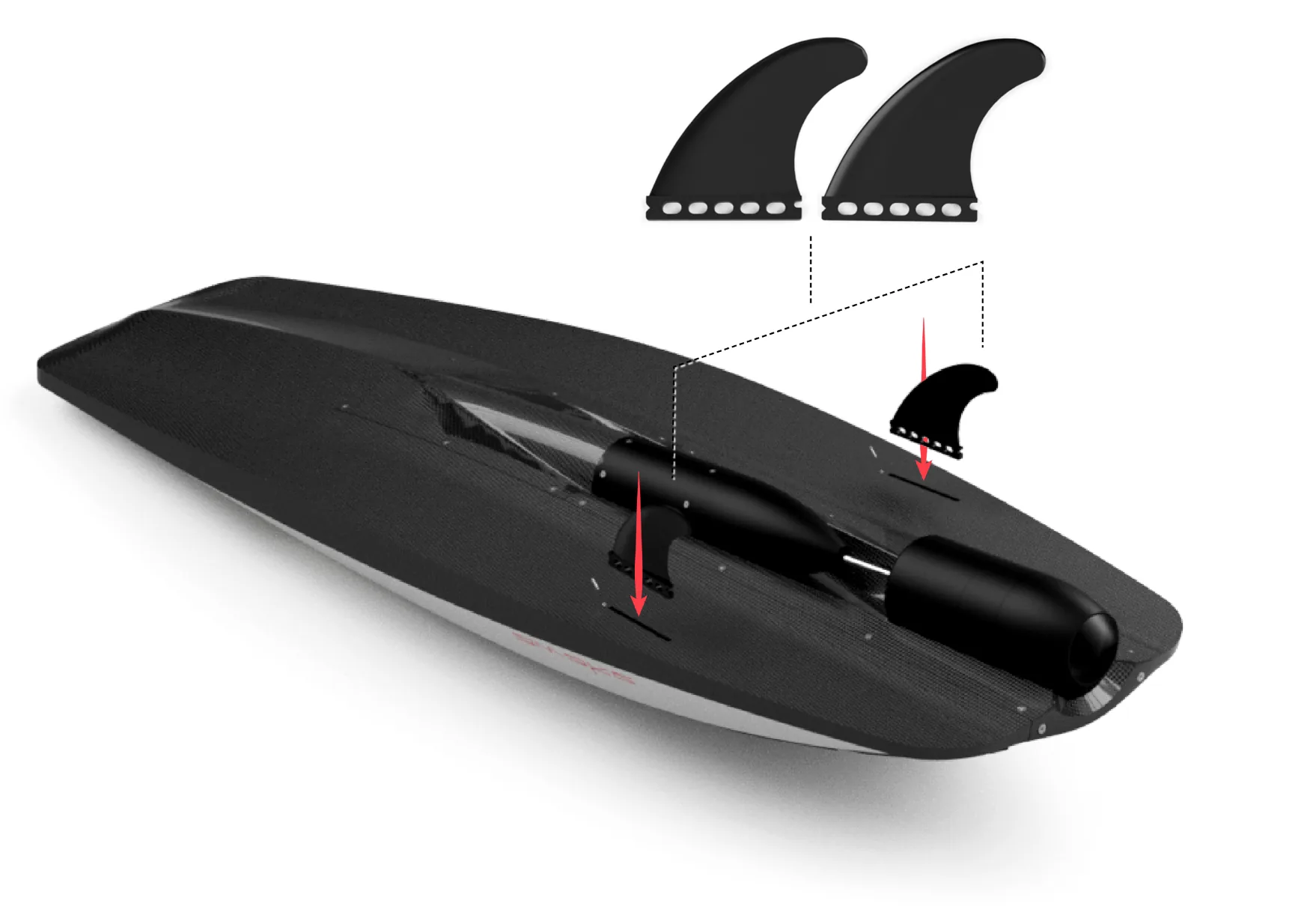
Fit the fins
- Place each fin into its slot under the board with the convex side facing outward.
- Push the fin fully into the slot.
- Tighten the screws with the supplied Allen (hex) key.
If a fin starts to wiggle over time, clean the slot and retighten the screws.
Install the battery
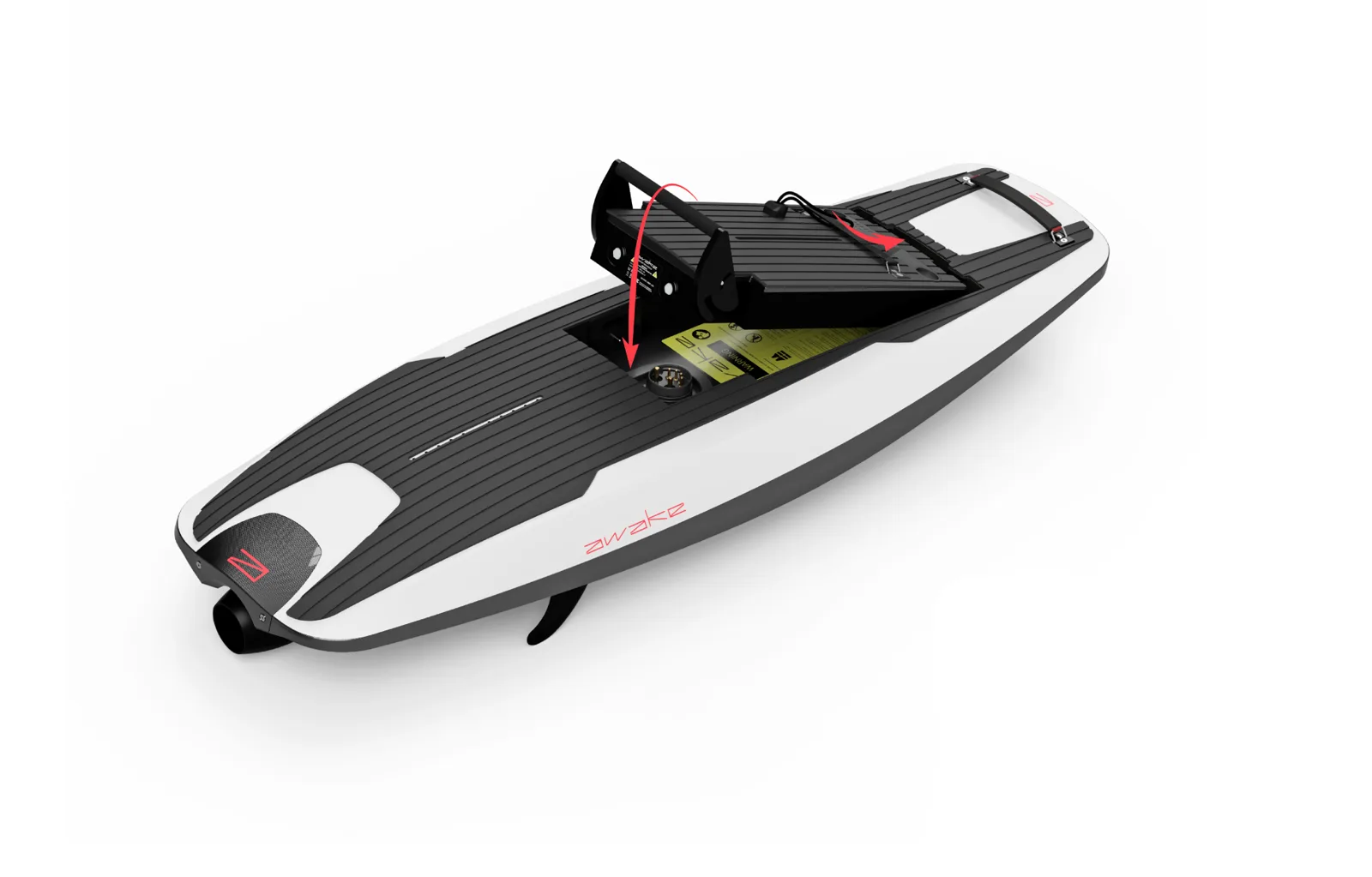
- Charge the battery first (see the charging guide).
- Check the battery compartment is clean and free of debris.
- Slide the front of the battery in, lining up the pins in the board with the battery.
- Push down the locking handle to secure it.
- Activate the battery by fitting the Power Key.
Pair the controller
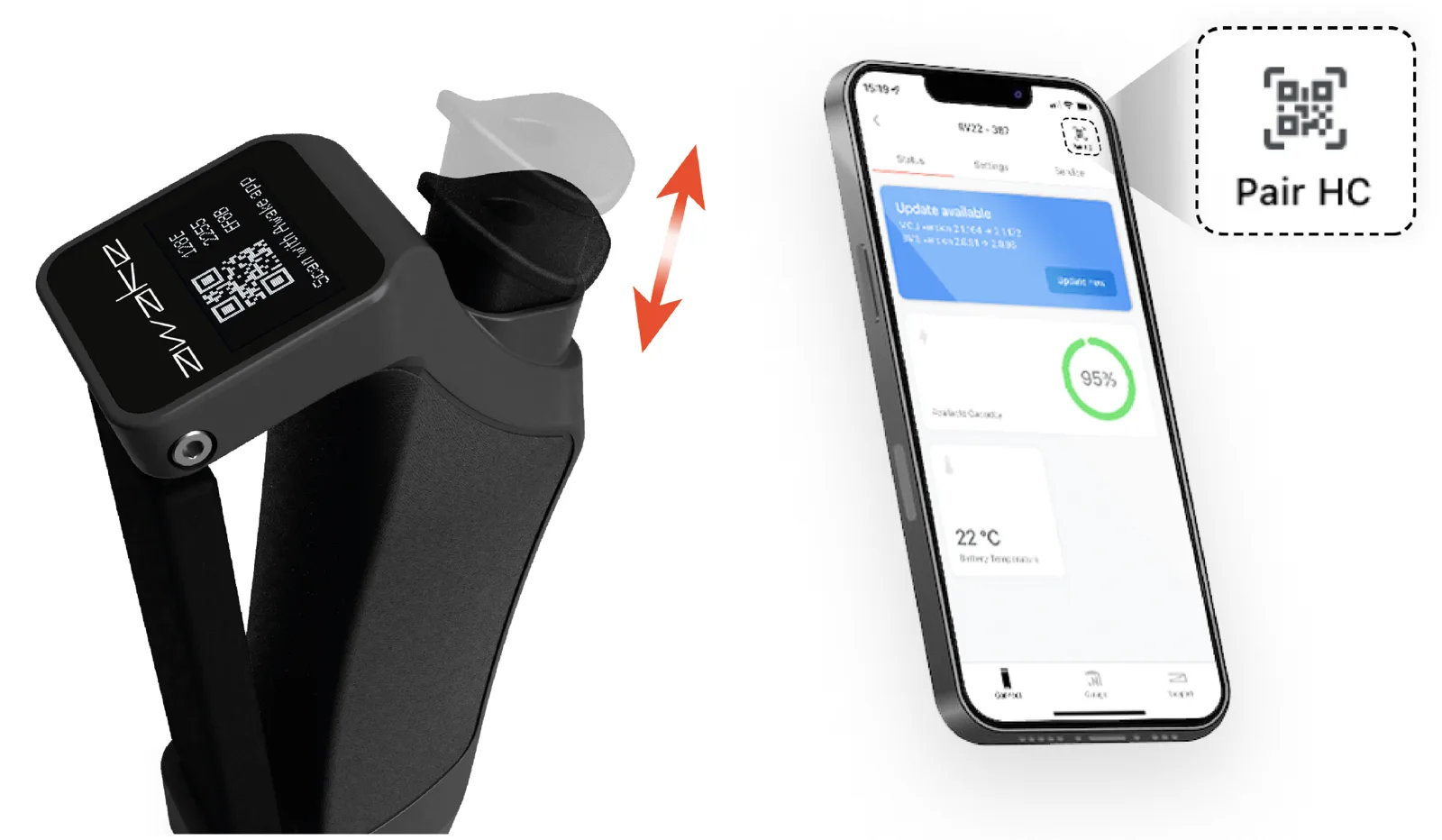
- With the battery active, open the Awake Link app.
- Press the throttle once to wake the controller.
- Press it again to show the QR code.
- In the app, tap Pair HC (top right) and scan the code, or enter the pairing code shown on the controller.
Read the battery lights
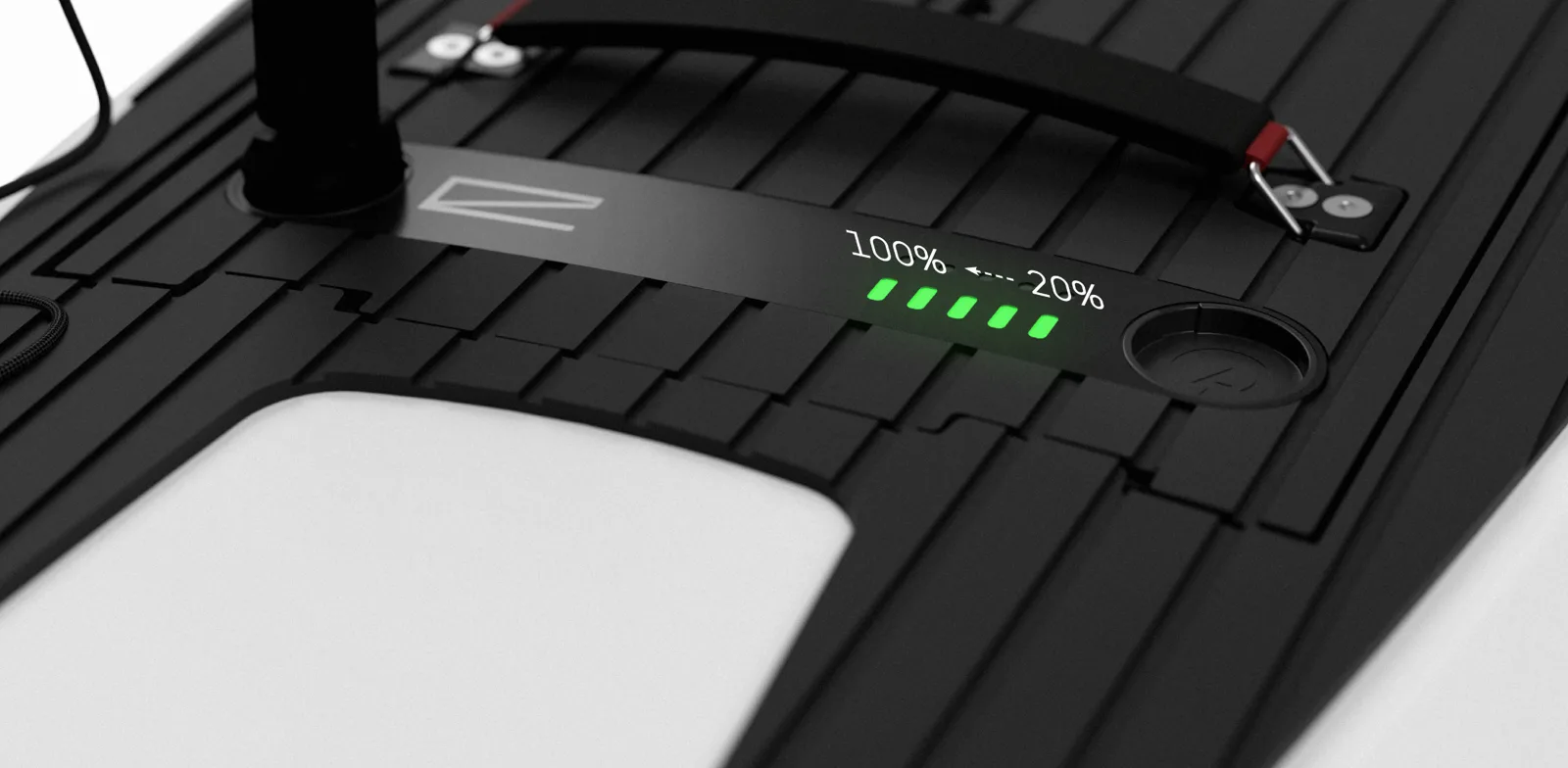
Connect the Power Key Leash to wake the battery and show its charge.
- Pulsing green lights mean the battery is charging.
- Each steady green light is about 20%; three lights is about 60%.
- Five steady green lights mean a full battery.